What happened
Securelist, the research arm of Kaspersky, published a report on 11 Nov 2026 on a previously undocumented group it calls Citrus. The crew pairs the Sn00py ransomware family with hidden VLESS tunnels and scripts that show signs of large language model use.
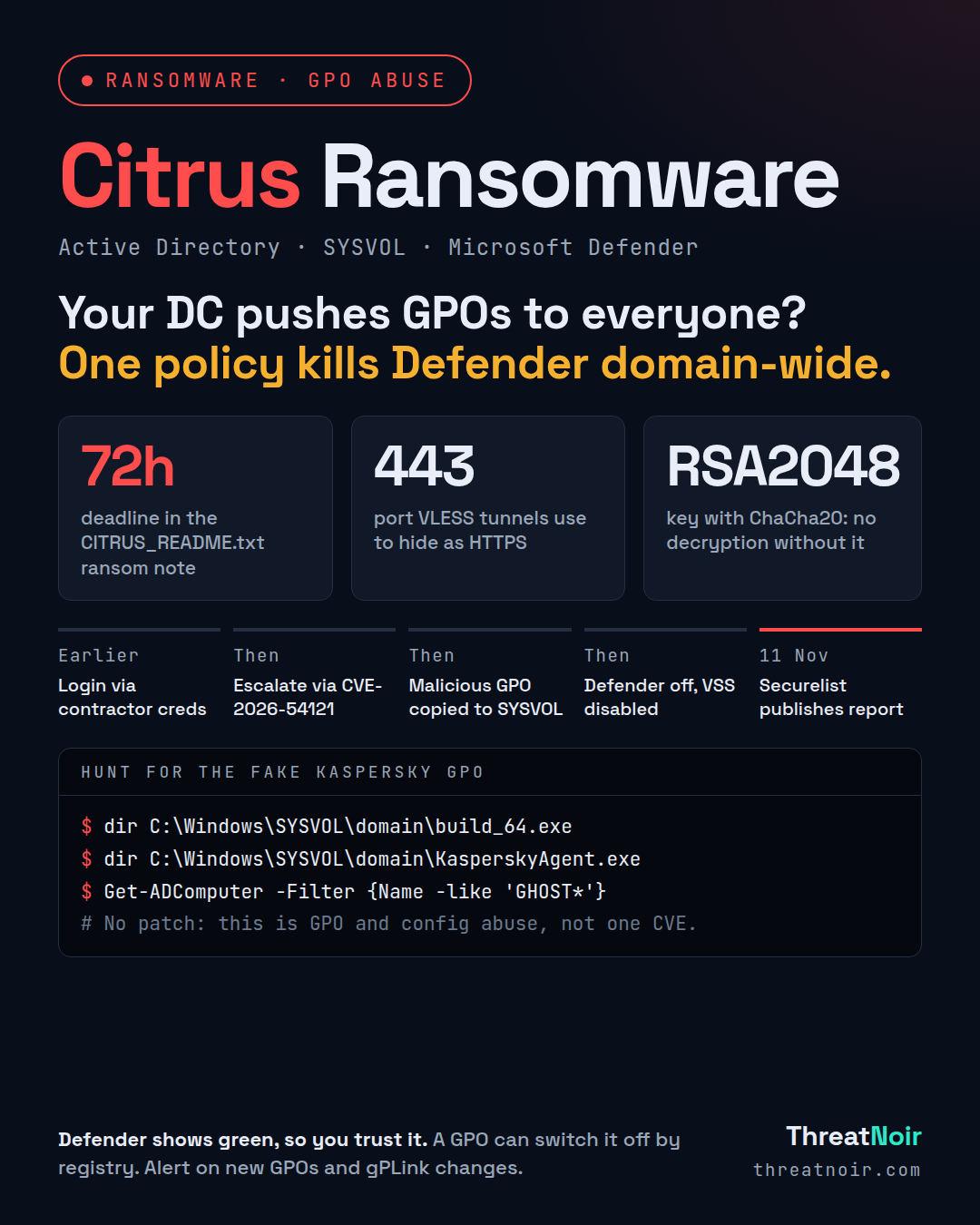
The method is the dangerous part. Once the attackers control a domain controller, they run a self-extracting archive that builds a malicious Group Policy Object. A PowerShell script copies the ransomware to the SYSVOL folder, then links the policy to the domain with the Import-GPO and New-GPLink commands. Every computer in the domain then receives the policy.
That policy drops the ransomware archive, creates a scheduled task to run it quietly with no restart, turns on WinRM, disables the Volume Shadow Copy service, and changes registry settings to turn off Windows Defender. Securelist says Defender simply did not react when the ransomware started.
The files are named to look safe. The policy is called Kaspersky GPO, and files include KasperskyAgent.exe and Deploy-KasperskyGPO.ps1. Kaspersky notes the disguise does not help against its own products, which detect and block these files.
Timeline
- Earlier: initial access with stolen contractor credentials over VPN or RDP.
- Then: privilege escalation attempts using CVE-2026-54121 (Certighost), CVE-2020-1337, and misconfigured 1C:Enterprise servers.
- Then: credential dumping with mimikatz, discovery with fscan, ADRecon and SharpHound.
- Then: malicious GPO built and copied to SYSVOL, linked to the domain.
- Then: Defender disabled by registry, VSS disabled, Sn00py runs.
- 11 Nov 2026: Securelist publishes its Citrus report.
Am I affected?
You are exposed if contractor or low-privilege domain accounts can reach your network through a VPN or internet-facing RDP, and if those accounts can be escalated to domain admin. The attackers raise privileges through CVE-2026-54121, which creates Active Directory machine accounts with names starting with GHOST.
Signs of a hit include a GPO named Kaspersky GPO, files named KasperskyAgent.exe or build_64.exe in SYSVOL, files encrypted with the .citrus extension, and a CITRUS_README.txt note giving 72 hours to make contact.
What to do now
- Hunt for GHOST-prefixed machine accounts in Active Directory and disable any you find.
- Check SYSVOL for build_64.exe and KasperskyAgent.exe, and your GPO list for a policy called Kaspersky GPO. Remove unauthorised GPOs and their gPLink entries.
- Alert on new GPO creation and changes to the gPLink attribute going forward.
- Confirm Microsoft Defender tamper protection is on and that registry settings have not disabled it.
- Confirm the Volume Shadow Copy service has not been disabled.
- Review and restrict contractor access. Treat these accounts as a likely entry point.
- Protect security tool consoles and restrict who can change AV policy.
- Block and hunt for the published IoCs: IPs 91.210.109.118 and 91.210.108.180, and the listed file hashes.
How to hunt
Look for the scheduled tasks named KasperskyAgentInstallTask and Sysvc, which run the ransomware archive, and a Java rpchost persistence task.
Check these paths: C:\ProgramData\xray.exe, C:\ProgramData\fscan.exe, C:\ProgramData\x64\mimikatz.exe, C:\ProgramData\oracle\java\jhost.exe, and C:\ProgramData\steal_tgs.ps1.
Watch for reverse VLESS tunnels on port 443 made to look like traffic to mirror.yandex.ru and yastatic.net. Look for silent AnyDesk installs for remote control. Check for the Deploy archives named KasperskyGPO_Deploy_64.exe and KasperskyGPO_Deploy_64_FIXED.exe on user desktops.
Securelist notes the group mostly uses well-known methods, which makes early detection easier if you are watching policy changes.
What does not help
Trusting the Kaspersky name on files. The policy and executables use that branding to look safe, but Kaspersky products detect and block them. The disguise is meant to fool human responders, not software.
Relying on Defender status alone. Because a GPO can switch Defender off by registry, a green status after the policy applies is not proof you are clean. Watch for the Defender change itself, not just the result.
Sources
- Hackers Abuse Windows Group Policy to Deploy Citrus Ransomware and Disable Microsoft Defender, Cyber Security News, 12 Nov
- Citrus Ransomware: VLESS for traffic, Sn00py for encryption, and LLMs lending a hand, Securelist (Kaspersky), 11 Nov